

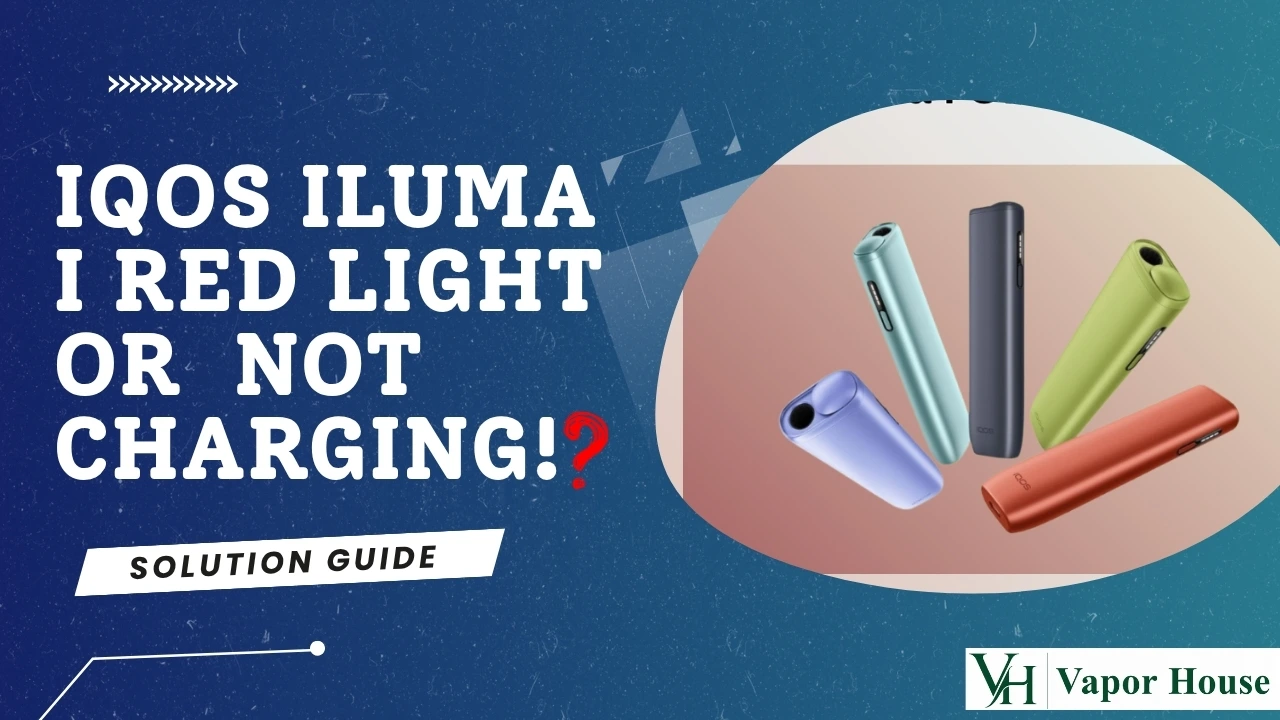
A blinking red light or charging failure on IQOS ILUMA i is usually caused by a frozen system, temperature protection, dirty contacts, or an unsupported charger. Most people fix it themselves in under ten minutes with a hard reset, a short cooldown period, a quick clean of the charging contacts, or by switching to the official USB-C charger. Replacement is rarely the first step.
Why Does IQOS ILUMA Show a Red Light?
A red light is the device telling you something specific went wrong, not that it’s permanently broken. There are five usual suspects.
Battery protection mode. The battery management system pauses charging when conditions aren’t ideal, to protect the lithium-ion cell inside. Software freeze. Like any small computer, the device can lock up and need a restart. Temperature shutdown. Charging stops automatically outside a safe temperature range. Dirty contacts. Dust or tobacco lint on the gold contacts breaks the connection. Charger incompatibility. Some third-party chargers don’t supply enough power, or don’t support proper USB Power Delivery, for the device to recognise them.
Each of these has a direct fix below, in order of how often they turn out to be the actual cause.
What Different IQOS ILUMA Red Lights Mean
| Light Pattern | Meaning | Recommended Action |
| Single blinking red | Temporary software issue | Perform a hard reset |
| Continuous red | Charging failure or weak connection | Check the charger and cable |
| Red appears right after a full charge | Battery protection mode | Let the device cool down |
| No light at all | Deep battery discharge | Charge for 30 to 60 minutes before judging the result |
Use this as a quick first check before working through the full fixes below. It won’t catch every case, but it points you toward the right fix faster.
Before You Start
A few quick checks before you troubleshoot anything can save you a wasted reset.
- Remove any tobacco stick from the holder.
- Charge from a wall outlet rather than a laptop or power bank.
- Make sure the device is completely dry, especially if it has been near water or condensation.
- Remove the holder from the charger and reinsert it firmly.
If the red light disappears after this alone, you’re done. If not, move on to Fix 1.
Fix 1: Perform a Hard Reset
A software crash is the most common reason behind an IQOS ILUMA blinking red light. A hard reset clears the glitch without touching your saved settings.
Resetting the IQOS ILUMA i and IQOS ILUMA i Prime. Place the holder inside the pocket charger. Press and hold the charger button for 10 seconds. Release once all lights dim. White blinking lights confirm the reset worked.
If you’re still getting used to the differences between models, the IQOS ILUMA i Prime resets the same way as the standard ILUMA i, so the steps above apply to both.
Resetting the IQOS ILUMA i ONE: Hold the power button for 10 seconds. Wait until the lights turn off completely. Watch for two light blinks. The device powers back on by itself.
The IQOS ILUMA i ONE handles its reset slightly differently since it doesn’t use a separate pocket charger, so the power button does double duty here.
Expected result: the red light should disappear, and normal charging should resume within a minute of the reset finishing.
When to retry: if the first reset doesn’t work, wait 60 seconds and try again. A second attempt resolves most cases that the first one didn’t. If your IQOS ILUMA is still blinking red after a reset, move straight to the temperature check below rather than repeating the reset over and over.
Common mistake: releasing the button too early, before the lights fully dim, which cancels the reset before it completes.
Fix 2: Temperature Reset
IQOS ILUMA devices are built to charge only within a set temperature range.
Operating temperature: 0°C to 40°C
In the UAE, this usually means the device has gotten too hot, not too cold. If your IQOS ILUMA won’t charge after sitting in a car, a bag in direct sun, or near a heater, this is likely why.
What to do: Move the device to a cool, shaded room. Wait 15 to 20 minutes before trying again. Avoid charging in direct sunlight. Avoid leaving it in a hot car. Keep it away from heaters and other direct heat sources.
Symptoms that point to a temperature issue: red blinking that started right after the device was somewhere hot, charging that won’t begin at all, or charging that starts and then stops suddenly a few minutes in.
Fix 3: Clean the Charging Contacts
Dust and tobacco lint build up on the gold charging contacts over time, and even a thin layer can break the connection.
Steps: Remove the holder from the charger. Use a dry cotton swab only. Gently clean the gold contacts on the holder. Clean the contacts inside the charger base as well. Never use water. Never use alcohol. Never scratch the contacts with anything sharp.
Signs the cleaning worked: the light pattern switches from red to the normal charging indicator within a minute, and the holder feels like it’s seated more firmly in the charger.
Fix 4: Check Your Cable and Adapter
Third-party chargers are a frequent, often-overlooked cause of charging faults.
What to use: The official IQOS adapter, a genuine Type-C cable, a wall socket rather than a laptop port or power bank, a minimum output of 5V / 2A, and at least 30 minutes of continuous charging before checking results
Signs the battery is recovering: the charging indicator changes from red to its normal pattern, the holder warms very slightly during charging, which is expected, and the device powers on normally once removed from the charger.
How Long Each Fix Should Take
| Fix | Wait Time |
| Hard reset | About 1 minute |
| Temperature cooldown | 15 to 20 minutes |
| Cleaning the contacts | About 5 minutes |
| Full recharge | 30 to 45 minutes |
If you’ve gone well past these windows with no change, the issue likely needs the next fix in line rather than more waiting.
Check for Firmware Updates
An outdated firmware version can sometimes cause a red light to appear even after a successful reset, especially right after the IQOS app pushes a new update.
Open the IQOS app on your phone. Check whether a firmware update is available for your device. Install the update if one is listed. Retry charging once the update finishes.
If your IQOS ILUMA is blinking red after an update, specifically, give the device a few minutes to finish syncing before trying to charge again. This is a less common cause than a software freeze or temperature issue, but worth checking if the four fixes above didn’t help.
How to Know if Your Device Is Charging Again
Run through this quick checklist after trying any of the fixes above.
The red light has switched to the standard charging indicator. The holder powers on normally when removed from the charger. The device produces vapor as expected on first use. There’s no unusual heat, smell, or swelling.
If all four are true, the issue is resolved. If even one isn’t, move on to the next fix or consider whether the problem might be hardware-related.
Avoid These Common Mistakes
A few habits make charging problems worse rather than better.
Don’t force the USB connector if it doesn’t slide in easily. Don’t leave the device somewhere cold enough to freeze. Don’t clean the contacts with alcohol or any liquid. Don’t use fast chargers designed for phones or laptops. Don’t charge the device inside a hot, parked car. Don’t keep repeating hard resets back to back. One retry is enough; if it still fails, move to the next fix.
Example Scenario
If your ILUMA sat inside a parked car in Dubai for a couple of hours and is now flashing red, temperature protection is far more likely than a damaged battery. Bring it indoors, let it sit for 20 minutes, and try charging again before assuming the worst.
When Home Fixes Won’t Work
If you’ve tried all four fixes and the red light keeps coming back, the cause is likely something a reset or a clean cannot solve.
Battery failure: The battery itself may no longer hold a charge reliably, especially after many charging cycles. Charging port damage. Bent or misaligned pins inside the holder or charger can prevent a solid connection, particularly if the device was dropped. Internal hardware fault. Less common, but possible after a drop or exposure to moisture.
At this point, further troubleshooting at home is unlikely to help, and it’s worth checking the support options below instead of repeating the same steps. This also applies if your IQOS ILUMA is charging but not turning on, since that combination often points to a hardware issue rather than a charging one.
Device Comparison: ILUMA i ONE vs ILUMA i vs ILUMA i Prime
All three models share the same core causes of red light errors, but the reset process and charging setup differ slightly.
| Model | Reset Method | Charger Type | Typical Charge Time | Key Notes |
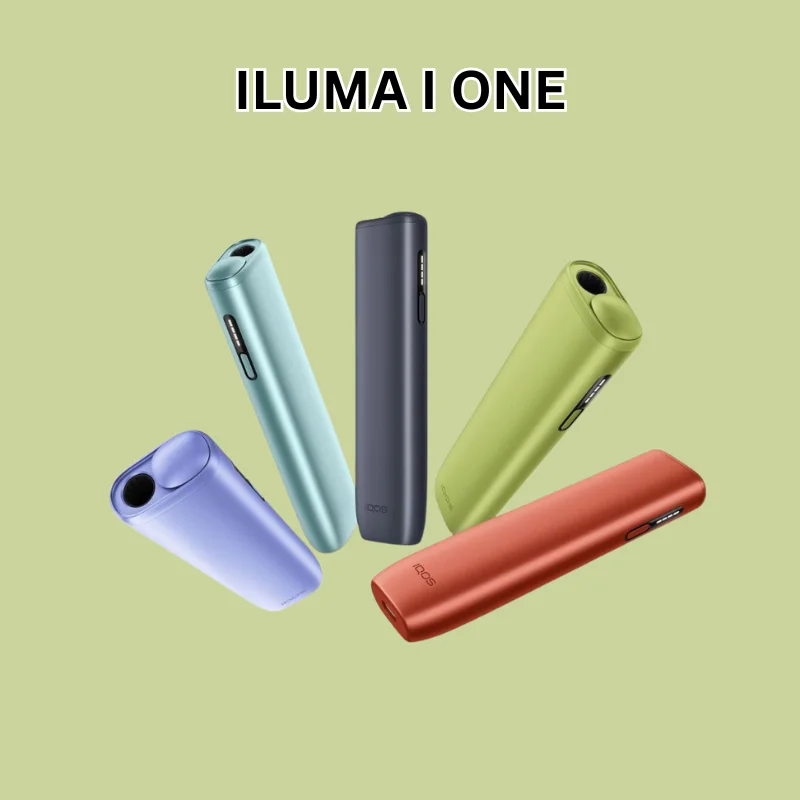
| IQOS ILUMA i ONE | Power button only | Direct USB-C, no pocket charger | Around 20 minutes | Simplest to troubleshoot; no separate charging case |
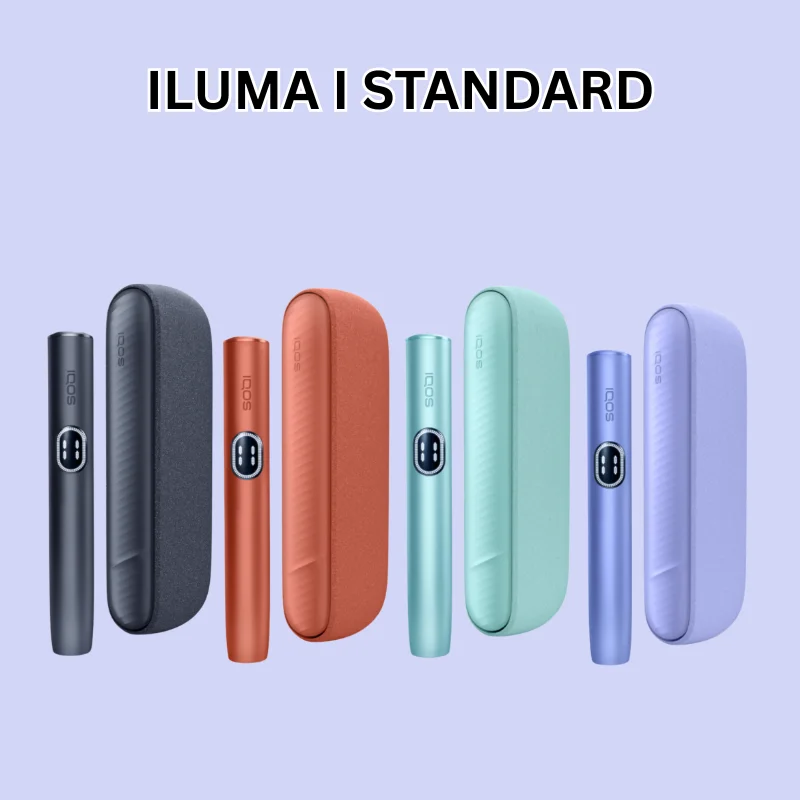
| IQOS ILUMA i Standard | Pocket charger button | USB-C into pocket charger | Around 30 minutes | Most commonly used model; standard setup |
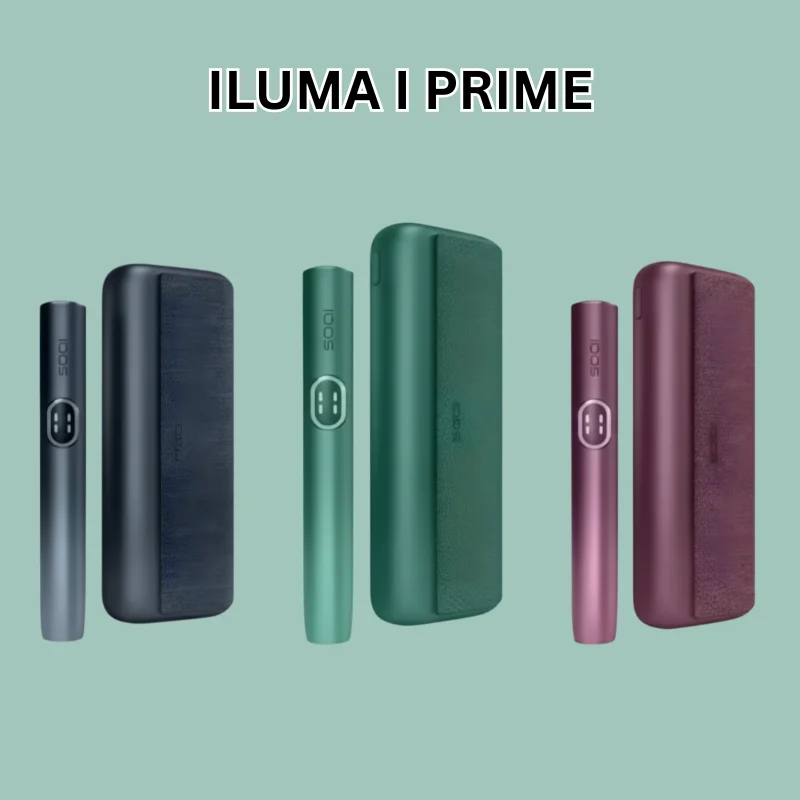
| IQOS ILUMA i Prime | Pocket charger button | USB-C into pocket charger | Around 30 minutes (larger reserve) | Same reset as ILUMA i, but with a higher-capacity charger |
Additional Model Comparison Notes
- IQOS ILUMA i ONE charges and resets using only its built-in power button, making it the most straightforward model for troubleshooting.
- IQOS ILUMA i uses a pocket charger for both charging and resets and is the most widely used version in daily life.
- IQOS ILUMA i Prime follows the same reset process as the ILUMA i, but includes a larger reserve charge in its pocket charger.
- When choosing between models, the main difference comes down to how you prefer to charge and carry the device rather than core functionality.
Troubleshooting Table
| Problem | Likely Cause | Quick Fix | Time Required |
| Red light blinks once, device otherwise responsive | Minor software glitch | Hard reset | 1 minute |
| Device won’t turn on at all | Deep freeze or drained battery | Hard reset, then charge fully | 30 minutes |
| Charging stops after heat exposure | Temperature protection | Cool down indoors | 15 to 20 minutes |
| Charging is slow or inconsistent | Dirty contacts or a weak charger | Clean contacts, switch to official charger | 5 minutes |
| Red light returns after every fix | Possible battery or hardware fault | Run device diagnostics or contact support | Varies |
Quick Decision Guide
If you want the fastest path through troubleshooting, follow this order:
Try a hard reset. If the red light clears, you’re done. If not, let the device cool down for 15 to 20 minutes. If it still won’t charge, clean the gold contacts. If that doesn’t help, switch to the official charger and cable. Still red after all four? Check for a firmware update, then contact support if the issue continues.
Prevention Tips
A few small habits cut down on repeat charging issues.
Wipe the charging contacts once a week with a dry cotton swab. Keep the device away from direct heat and cold AC vents. Use only the original or an officially licensed charger. Avoid leaving the holder in the pocket charger for days without use. Install firmware updates when prompted, since these sometimes improve charging stability.
FAQ
Why is my IQOS ILUMA blinking red?
It’s usually caused by a software freeze, temperature protection, dirty contacts, or a charger that the device doesn’t recognise. A hard reset solves most cases.
How do I reset my IQOS ILUMA?
For the ILUMA i and i Prime, hold the pocket charger button for 10 seconds until the lights dim. For the ILUMA i ONE, hold the power button for 10 seconds until it powers back on.
Can I use a regular USB-C charger on IQOS ILUMA?
You can physically connect a USB-C charger, but only the official adapter rated at 5V/2A is recommended for safe and stable charging.
How long does IQOS ILUMA take to charge fully?
A full charge typically takes around 30 to 45 minutes using the official charger and a wall outlet.
Why does my IQOS ILUMA stop charging halfway?
This usually happens due to temperature protection or a weak/unsupported charger. Let the device cool down or switch to the official adapter.
What does the blinking red light mean on the IQOS ILUMA i ONE?
It usually indicates a temporary software issue or charging interruption rather than permanent damage.
Can hot or cold weather cause IQOS ILUMA charging problems?
Yes. The device automatically pauses charging outside its safe range of 0°C to 40°C to protect the battery.
How do I clean the charging contacts safely?
Use only a dry cotton swab. Avoid water, alcohol, or any sharp objects that could damage the gold contacts.
Does a hard reset erase my IQOS ILUMA settings?
No. A hard reset only clears temporary software issues and does not affect your settings or usage history.
When should I contact IQOS support?
Contact support if you notice physical damage, bent charging pins, or if the red light persists after all troubleshooting steps.
How do I know if my battery is damaged?
Signs include the device not holding a charge, unusual heat during charging, visible swelling, or a red light appearing immediately after charging.
Is the IQOS ILUMA i Prime more prone to charging issues than the standard ILUMA i?
No. Both use the same system and reset process, so neither model is more prone to issues than the other.
Why is my IQOS charging but still showing red?
This usually indicates a weak or unstable connection. Try reseating the holder and cleaning the charging contacts.
Can I leave IQOS charging overnight?
Yes. The device has built-in protection that stops charging when full, so overnight charging is safe.
Why does IQOS blink red after dropping it?
A drop may misalign the charging pins or damage internal components. Try a reset and cleaning; if it persists, it may be hardware-related.
Why does IQOS charge only at certain angles?
This usually indicates misaligned or dirty charging pins. If cleaning doesn’t help, the pins may need inspection.
Does replacing the cable fix red lights?
Sometimes. A faulty or non-original cable can cause unstable charging, so using a genuine Type-C cable is recommended.
Key Takeaways
- A red light almost always points to a fixable cause, not a broken device.
- A hard reset solves the largest share of IQOS ILUMA blinking red light cases.
- Temperatures outside 0°C to 40°C will pause charging automatically.
- Dirty charging contacts are a common and easy-to-fix cause.
- Using the official IQOS USB-C charger ensures reliable and consistent charging.
- A firmware update can sometimes resolve red light issues that remain after a reset.
- If the red light persists after all fixes, it may indicate hardware damage or require support assistance.
Final Verdict
Most IQOS ILUMA red light and charging issues are simple to fix at home, and a single reset clears the majority of cases. Work through the fixes in order: reset, then temperature, then contacts, then charger. If all four fail, check for a firmware update and inspect the device for physical damage before assuming the battery has failed. Only a small number of cases actually need professional support or a replacement. If you do reach that point, you can explore the IQOS ILUMA i Series or look into authentic flavour in Dubai for a fresh, genuine setup.