
Most IQOS Iluma problems come down to a small handful of causes: a battery that’s lower than it looks, charging contacts that need a wipe, a stick that isn’t fully compatible (Check Compatibility), or a device that just needs a proper reset. The tricky part isn’t fixing these issues, it’s figuring out which one you’re actually dealing with, since a red light, a stuck heating cycle, and a dead vibration motor can all look similar on the surface but have completely different causes.
The checks below follow the order that experienced Iluma users tend to work through in practice: start with the simple stuff, move to the next likely cause if that doesn’t fix it, and know where the line is between “this is fixable at home” and “this needs a service check.”
Quick Checks Before Troubleshooting
Before working through any specific problem below, run through this short list. It sounds basic, but it clears up a surprising number of issues on its own.
- Battery level. A holder or device that seems dead is often just deeply discharged rather than faulty. Give it a full charge before assuming anything is broken.
- Holder position. The holder needs to be seated fully and correctly in the charger. A holder that looks inserted but isn’t quite seated won’t charge, even though nothing appears visibly wrong.
- Charging contacts. The small metal contacts on the holder and inside the charger can pick up residue from tobacco sticks over time. Dirty contacts are a common and easily overlooked cause of charging trouble.
- Cable and adapter. Try a different USB cable and adapter if you have one available. A cable that works fine for a phone can still behave inconsistently with an Iluma charger.
- Compatible TEREA stick. Iluma devices are designed for TEREA sticks specifically. A stick that’s incompatible or damaged can cause heating and vapor problems that look like a device fault but aren’t.
- Visible damage. Check the holder and charger for cracks, bent contacts, or anything that looks physically off.
- Device temperature. Like most heated tobacco devices, Iluma has built in temperature protection. A device that’s been sitting in direct sun or a hot car may temporarily refuse to start or charge until it cools down.
If all of these check out and the problem is still there, move on to the specific section below.
IQOS ILUMA Not Charging
Why is my IQOS Iluma not charging?
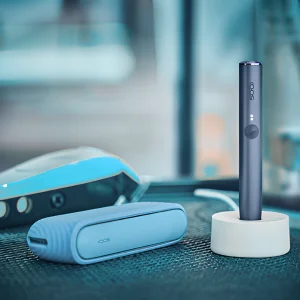
The problem can come from a low or deeply discharged battery, dirty charging contacts, a loose connection between the holder and charger, or a faulty cable. Start by checking the contacts and power source before attempting a reset.
We asked about this one because it’s a problem that can be misleading. A device that “won’t charge” and a device that’s charging but not showing it are two different situations that look identical from the outside.
Try this first: Wipe the charging contacts on both the holder and the inside of the charger with a dry cotton swab. Residue buildup here is a frequent cause with regular use, and it’s often the whole problem.
If that fails: Swap the charging cable and adapter for a different one, and try a different wall outlet.
Try this: Reseat the holder fully into the charger. Remove it and reinsert it firmly until it seats properly. A holder that looks inserted but isn’t fully seated is a common false alarm.
When to seek service: If the holder still won’t charge after cleaning the contacts, trying a new cable, and confirming it’s fully seated, the issue is more likely to be a worn charging port, a damaged contact pin, or battery wear. A reset is worth trying at this point, but if the same failure comes right back afterward, that usually points to something a reset alone can’t fix.
A Real-World ILUMA Troubleshooting Example
One case that comes up often: a holder that shows no response at all in the charger, no light, no vibration, nothing. The first instinct is usually to assume the battery is dead. A more useful first step is checking whether the charger itself is getting power at all, since a bad cable or a dead outlet produces the exact same symptom as a dead holder.
The first thing worth checking is the charger’s power source and the contacts, not the holder itself. That didn’t solve it in this case, so the next thing to look at was the cable, swapped for a different one. Still nothing. Reseating the holder firmly in the charger was what actually got it responding again. It hadn’t clicked into place fully, even though it looked seated at a glance.
If you’re seeing the same thing, working through that same sequence, power source, contacts, cable, then reseating the holder, will resolve it in most cases. If none of those steps change anything, that’s the point where the issue is more likely inside the holder or charger, and a service check makes more sense than repeating the same steps.
IQOS ILUMA Red Light
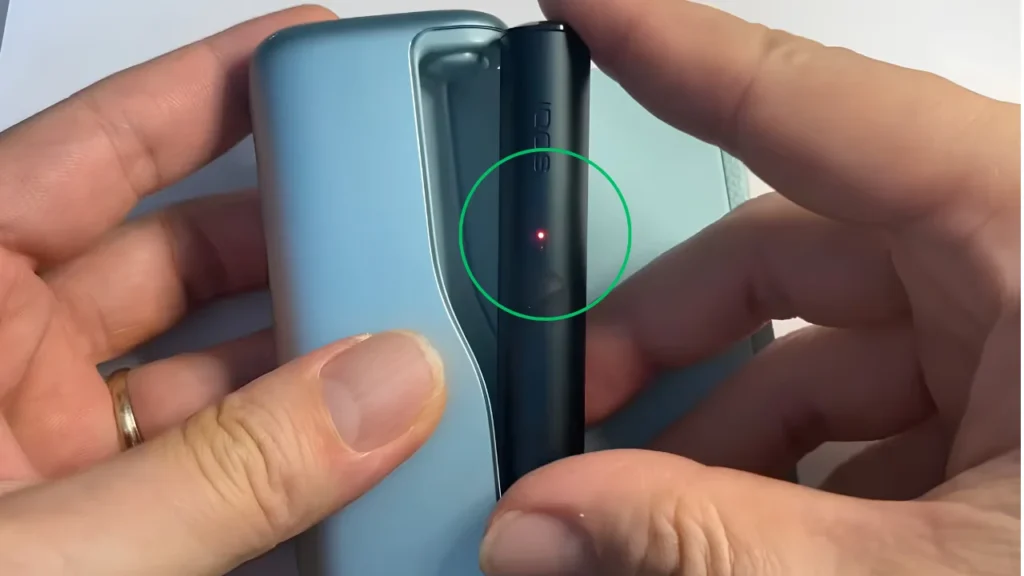
What does a red light mean on IQOS Iluma?
A red light generally signals that the device has run into an error and can’t start a heating session normally. This can be a temporary system error, an overheating protection trigger, or in some cases a sign of a battery related problem.
The important distinction is whether the red light is a one time glitch or something that keeps coming back.
Try this first: Let the device rest for a few minutes, especially if it’s been used several times in a row or feels warm. Overheating protection is a common, non damaging cause of a red light, and it usually clears once the device cools.
If that doesn’t solve it: Don’t jump to assuming the battery is dead. Check that the device is charged, that a compatible TEREA stick is properly inserted, and that there’s no visible blockage or damage.
Try this: If the red light is still there after cooling and confirming charge level, try a reset (see the reset section below). A single unexplained error is often cleared by a full reset.
If the device still behaves the same way after those checks, the problem may be beyond a simple reset. A red light that keeps coming back, especially if the device also feels hot to the touch, is a pattern worth paying attention to rather than resetting again and again. I’ve attached a YouTube video below. You can follow it to fix your red light problem.
IQOS ILUMA Blinking White Light
A blinking white light is generally part of normal device behavior rather than an error, though the exact meaning can vary by model and firmware, so it’s worth checking your specific device’s manual if you want to confirm.
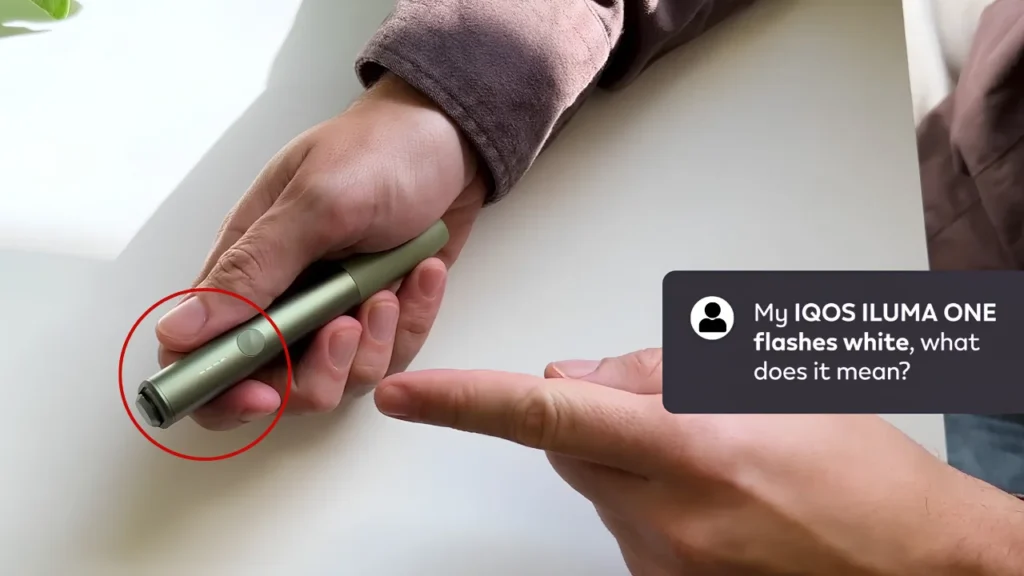
In general terms:
- During charging, a blinking or pulsing white light typically indicates the device is actively charging.
- During startup, a brief white light sequence when you press the button is normal as the device runs its startup check.
- After extended use, white blinking alongside a device that feels unusually warm can be linked to temperature related pauses rather than a fault on its own.
If the white light is behaving in a way that doesn’t match normal charging or startup, for example blinking continuously without settling into a solid charge indicator, or showing up when the device isn’t connected to power at all, treat it the same way as an unexplained red light. Let the device cool if it’s warm, confirm charge level, and try a reset if it continues. I’ve attached a video. You can follow it to fix your White light problem.
IQOS ILUMA Not Heating
Why is my IQOS Iluma not heating?
Common causes include a low battery, an incompatible or improperly inserted stick, or an autostart feature that isn’t triggering correctly. Confirm the battery is charged and a compatible TEREA stick is fully inserted before assuming there’s a hardware fault.
Try this first: Check the battery level and confirm you’re using a genuine, compatible TEREA stick inserted fully and straight. Iluma’s heating system tends to be sensitive to stick placement.
If that doesn’t work: Check whether autostart is working. Some devices are set to begin heating automatically when a stick is inserted, and if that isn’t triggering, it can look like a heating failure when the device is otherwise fine. Try manually starting the session with the button if your model supports it.
Try this: Let the device cool down completely if it feels warm, then try again. Heating can pause or fail to start if the device’s temperature protection has kicked in.
When to seek service: If the battery is confirmed charged, the stick is genuine and properly inserted, and the device is at a normal temperature, but heating still doesn’t start consistently, that points toward a possible internal fault rather than something basic checks can fix.
An Example Worth Walking Through
One version of this problem that’s easy to misread: the device powers on, vibrates as expected, and appears to accept the stick, but no vapor ever shows up and the session ends early. The instinct is usually to blame the stick. The first thing worth checking instead is how the stick is inserted, since Iluma’s heating design depends on the stick being positioned precisely.
That didn’t fix it right away in a case like this. The next thing to look at was whether a temperature protection pause was in play rather than an actual heating failure. Only once both of those were ruled out did a reset become the reasonable next step.
IQOS ILUMA Not Producing Vapor
No vapor and weak vapor are related but different problems, and it helps to separate them before troubleshooting.
- No vapor at all usually points to a heating failure, an incompatible stick, or a stick that wasn’t activated properly at the start of the session.
- Weak vapor is more often linked to a stick nearing the end of its expected puff count, a partially blocked airflow path, or a device that’s cooler than it should be mid session.
Try this first: Confirm the stick is genuine, undamaged, and inserted correctly, and that you’re within the expected puff range for that stick.
If that doesn’t work: Check the airpath and holder for any visible blockage or buildup, since restricted airflow reduces vapor even when heating itself is working fine.
Try this: If vapor output has been gradually declining across sessions rather than failing suddenly, that pattern is more consistent with a maintenance issue than a hardware fault. Regular cleaning of the holder is worth doing before assuming anything is broken.
When to seek service: If vapor is inconsistent or absent across multiple fresh sticks, on a charged device with a clean holder, the heating element is the more likely cause.
IQOS ILUMA Not Vibrating
Vibration on Iluma works as feedback. It tells you the device has started, finished a session, or hit an error state, so a device that stops vibrating can be confusing even when nothing else seems wrong.
Possible causes include:
- A low battery, since some feedback features can be reduced below a certain charge level.
- A vibration setting that’s been turned down or off, if your device or companion app allows adjusting feedback intensity.
- A software glitch that a reset can usually resolve.
What to check: Confirm the battery is charged, check the app (if you use one) for any feedback settings, and try a reset if vibration is missing even on a fully charged, freshly reset device. If the device otherwise heats and produces vapor normally, missing vibration on its own is rarely a sign of a serious hardware problem.
IQOS ILUMA Not Turning On
Why won’t my IQOS Iluma turn on?
A common cause is a battery that’s been discharged long enough that the device needs an extended charge before it responds at all. If charging doesn’t help, a reset or a possible hardware fault are the next things to consider.
Try this first: Connect the device to the charger and leave it for a full charge cycle, even if nothing seems to happen in the first few minutes. A deeply discharged battery can take noticeably longer than usual before the device shows any response.
If that doesn’t work: Try a different cable and outlet to rule out a charging side issue rather than the device itself.
If you’ve already tried charging fully and swapping the cable and the device still shows no response at all, no light, no vibration, try a full reset following the steps below.
When to seek service: A device that shows no response after a full charge, a cable swap, and a reset is showing signs of a deeper battery or internal fault that basic troubleshooting won’t resolve.
How to Reset IQOS ILUMA
A reset clears temporary software errors without affecting the device’s hardware, and it’s a reasonable first step for most unexplained behavior, once you’ve already ruled out the simple causes above.
The exact reset method (button press versus placing the holder in the charger for a set time, and the exact duration involved) can vary between Iluma models and firmware versions, so check your device’s manual or the official IQOS app for the precise steps for your specific device. As a general guide:
- Make sure the holder has at least a moderate charge before starting.
- Trigger the reset using your device’s documented method, either a press and hold on the device button, or placing the holder in the charger for the specified duration, depending on your model.
- Watch for the light pattern that indicates a reset is in progress. Devices typically cycle through their lights during this process.
- Let the device settle for a few seconds once the sequence completes before using it again.
- Test the device with a normal session to confirm the issue is resolved.
When a reset helps
Resets tend to work well for one off glitches: a red light with no clear cause, a device that’s unresponsive but otherwise undamaged, or minor Bluetooth or pairing errors. If the issue was software related, it usually doesn’t come back after a reset.
When a reset probably isn’t enough
If the same symptom comes right back, or keeps returning over several days, that’s a sign the underlying cause is more likely a battery, contact, or internal issue than something a reset can fix. Repeating the reset multiple times without a different outcome isn’t productive. That’s the point to move to a service check instead.
IQOS ILUMA Reset Not Working
Before assuming the device is broken because a reset didn’t work, check a few things first:
- Charge level. A reset attempted on a very low battery may not complete properly. Charge the device first, then try again.
- Reset method. Confirm you’re following the correct reset method and full duration for your specific model. A reset that’s interrupted partway through, or done the wrong way for your device, won’t take effect.
- Physical damage. Check the button or charging contacts for anything that could be preventing the reset from registering properly.
If the reset still doesn’t trigger, or triggers but doesn’t change the underlying problem, that’s a sign the issue is more likely hardware related than software related, and a service check is the more useful next step rather than repeating the reset attempt.
IQOS ILUMA Bluetooth Not Working
Why isn’t my IQOS Iluma connecting to Bluetooth?
This is usually caused by an old or conflicting pairing on your phone, Bluetooth being turned off, the devices being too far apart, or a low device battery. Forgetting the old pairing and reconnecting from scratch resolves most cases.
Try this first: Confirm Bluetooth is on for both your phone and the device, and that they’re within normal pairing range, a few feet apart with no major obstructions.
If that doesn’t work: Open your phone’s Bluetooth settings, find the old Iluma pairing, and remove or “forget” it. Old pairing data is a frequent cause of connection failures, especially if you’ve reset the device or switched phones since last pairing.
Try this: Close and reopen the companion app, and reattempt pairing from scratch through the app’s connection flow rather than through your phone’s general Bluetooth menu.
If Bluetooth still won’t connect: Check the device’s battery level, since some devices won’t broadcast a Bluetooth signal reliably below a certain charge threshold. If charging doesn’t help, a device reset is the next reasonable step.
When to seek service: If pairing keeps failing across multiple devices or phones, with a charged Iluma, a removed old pairing, and a fresh reset attempted, the Bluetooth module itself may be the issue.
Signs of an IQOS ILUMA Battery Problem
A single odd charging session usually isn’t cause for concern. What matters more is whether several of these show up together:
- Rapid battery drain, noticeably fewer sessions per charge than the device used to manage.
- Inconsistent charging, sometimes charging normally, sometimes not, with no clear pattern.
- Overheating, the device or holder getting unusually warm during normal charging or use, not just after heavy back to back sessions.
- Repeated red lights, especially ones that come back shortly after a reset.
- Inability to hold a charge, a fully charged device losing charge unusually fast even when not in use.
One of these alone is often explainable by something minor, a dirty contact, an old cable, a hot day. Several of these happening together, and continuing after basic troubleshooting, points more clearly toward genuine battery wear.
When Should You Replace an IQOS ILUMA?
Like any rechargeable device, Iluma batteries wear down gradually with use, and that’s expected rather than a sign of a defective unit. The question is less about the device’s age and more about the pattern of problems.
Consider service or replacement when:
- Battery symptoms (rapid drain, inconsistent charging, overheating) show up together rather than in isolation.
- The same fault, a red light, a charging failure, a heating problem, keeps recurring after resets and basic troubleshooting.
- There’s visible physical damage to the holder, charger, or contacts that cleaning and reseating can’t resolve.
- Charging failures continue across multiple cables, outlets, and contact cleaning attempts.
A device that’s had one or two isolated issues resolved by cleaning, charging, or a reset generally doesn’t need replacing. The pattern to watch for is repetition, the same problem coming back despite doing everything right.
Troubleshooting Decision Table
| Problem | First Thing to Check | Next Step | If It Still Happens |
|---|---|---|---|
| Not charging | Clean charging contacts | Try a different cable/outlet, reseat holder | Reset; if it recurs, likely hardware/contact fault |
| Red light | Let device cool (overheat check) | Confirm charge and stick insertion | Reset; recurring red light suggests battery/hardware issue |
| Blinking white light | Confirm it’s during charging or startup | Check if device is overheated | If it continues outside charging/startup, try a reset |
| Not heating | Confirm charge and stick insertion/compatibility | Check autostart or manually start session | Reset; persistent failure suggests heating element issue |
| No or weak vapor | Confirm stick genuine and within puff count | Check airpath for blockage | Reset; inconsistent across fresh sticks suggests hardware fault |
| Not vibrating | Confirm charge level | Check vibration settings in app | Reset; otherwise low priority if device works normally |
| Won’t turn on | Full charge cycle | Try different cable/outlet | Reset; no response after that suggests hardware fault |
| Reset not working | Confirm charge level before resetting | Confirm correct reset method for your model | Treat as likely hardware issue, consider service |
| Bluetooth not connecting | Confirm Bluetooth on, in range | Forget old pairing, reconnect via app | Reset; consistent failure across devices suggests module fault |
FAQ
How do I reset IQOS Iluma?
The exact method depends on your model, either a button press and hold or placing the holder in the charger for a set duration, so check your device’s manual or app for the precise steps. Charge the device first if the battery is low, since a reset attempted on a very low charge may not complete properly.
Why is my IQOS Iluma not charging?
It can come from a low battery, dirty charging contacts, a loose connection, or a faulty cable. Start by checking the contacts and power source before attempting a reset.
What does a red light mean?
A red light usually signals a temporary error, an overheating pause, or in some cases a battery related issue. Letting the device cool and checking charge level resolves most cases; a red light that keeps returning after a reset is worth having checked.
Why is my IQOS Iluma not heating?
Common causes include a low battery, an incompatible or improperly inserted stick, or an autostart feature not triggering. Confirm the stick is genuine and fully inserted before assuming a hardware fault.
Why is my IQOS Iluma not producing vapor?
No vapor usually points to a heating failure or activation issue, while weak vapor is often linked to airflow blockage or a stick nearing the end of its puff count. Check the stick and airpath before assuming a device fault.
Why is the holder not charging?
Dirty charging contacts and improper seating in the charger are common causes. Clean the contacts, reseat the holder fully, and try a different cable before assuming the holder is faulty.
Why is my IQOS Iluma not vibrating?
A low battery or an adjusted vibration setting are common causes. If the device otherwise heats and produces vapor normally, missing vibration alone usually isn’t a sign of a serious problem.
Why isn’t Bluetooth connecting?
Old pairing data on your phone is a frequent cause. Forget the existing pairing, confirm Bluetooth is enabled on both devices, and reconnect through the companion app.
How do I know if the battery is failing?
Watch for rapid drain, inconsistent charging, overheating, and repeated red lights happening together rather than as isolated incidents. Multiple symptoms occurring at once is a stronger sign of genuine battery wear than any single issue alone.
When should I replace my IQOS Iluma?
Consider replacement or service when the same fault keeps recurring after resets and basic troubleshooting, when battery symptoms appear together, or when there’s visible physical damage that cleaning and reseating can’t fix.